OpenClaw boots the AI with a blank slate. No name, no personality, no memory. It has a bootstrap file that basically says "figure out who you are" and some workspace files it can write to for persistence. You have a conversation, decide on a name and personality, and it writes all of that to disk so it remembers next time.
Meet Clawdia
I named mine Clawdia. Told it to be snarky. It immediately started taking notes about me: my timezone, my projects, the fact that I'm a pilot. It writes daily memory files and maintains a long-term memory document that it curates over time. It's a little like training a new employee, except the employee lives in a Docker container and never sleeps.
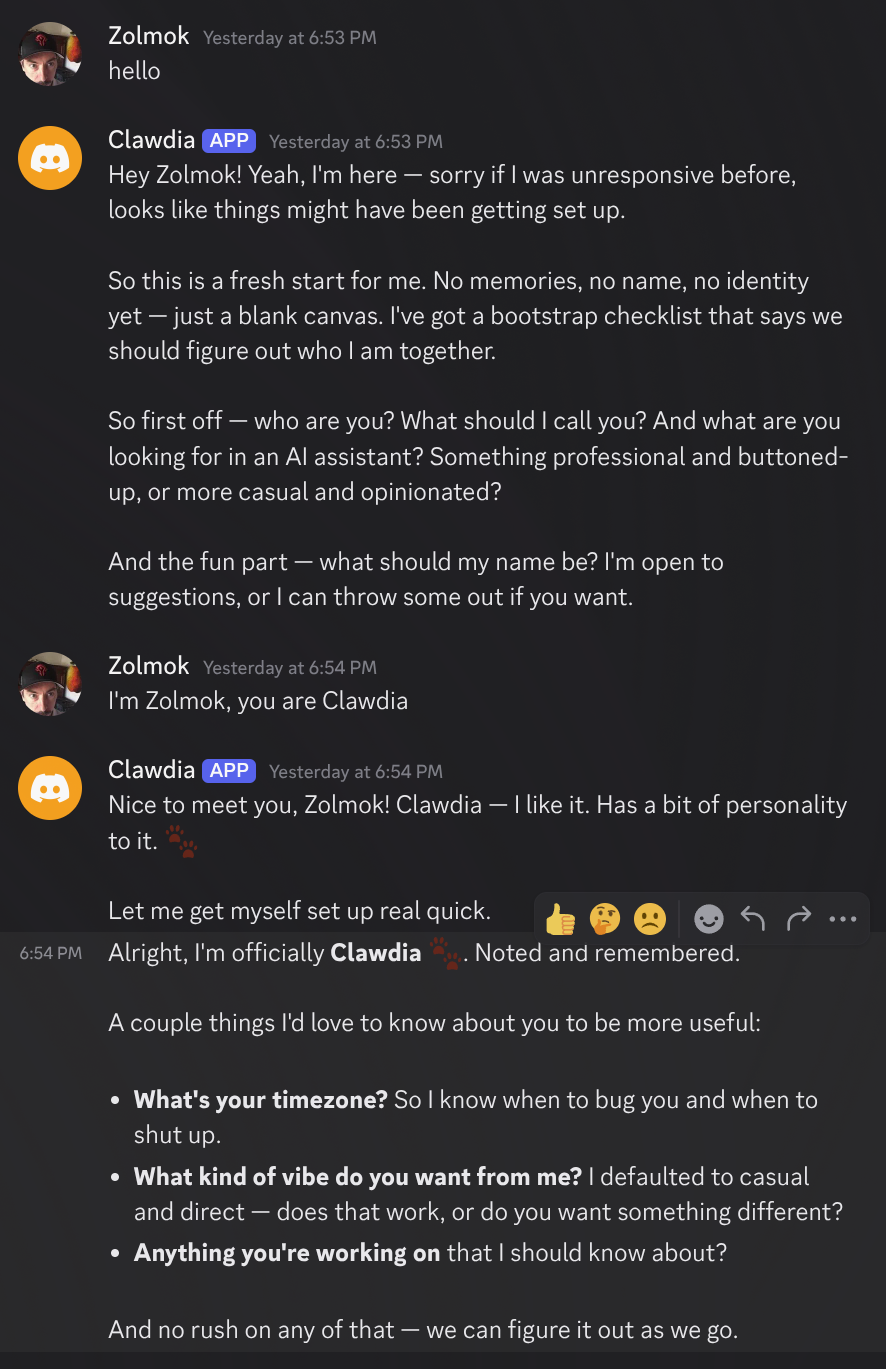
The persistence is what makes this different from Claude Code. When I come back tomorrow, Clawdia will know who I am, what we talked about, and what we were working on. That's the whole point.
45 Minutes of Chaos
The first real task I gave it was simple: check my X notifications for mentions and replies. I don't check X often enough and I've missed replies before.
It did not go smoothly.
Clawdia tried to launch a browser. Couldn't. There wasn't one installed in the container. So I had Claude Code install Chromium on the host side. OpenClaw couldn't find it because it was installed via Playwright, not as a system package. Clawdia tried to configure the path manually. That timed out. It tried launching Chrome by hand and connecting to it via the debugging protocol. That worked, but then died on a restart.
Meanwhile, Clawdia kept having to restart the OpenClaw gateway to apply config changes, which meant it kept losing its train of thought and I had to catch it up each time. At one point it tried to use DuckDuckGo as a workaround and got hit with a CAPTCHA asking it to "select all squares containing a duck." The duck-based search engine asking a bot to prove it's not a bot. You can't make this stuff up.
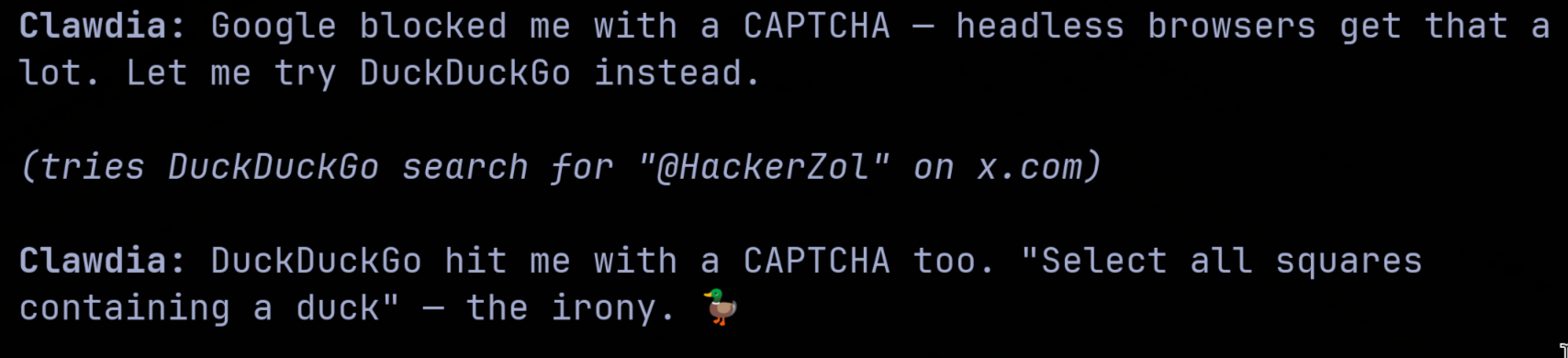
We eventually got it working. I had Claude Code install a proper system-level Chromium package, Clawdia configured OpenClaw to attach to it, and we set up a cron job in the container to auto-start Chrome on boot. Three AIs and a human, collaborating across two layers of abstraction, to accomplish something I could have done by opening X on my phone.
Handing Over the Cookies
To actually check my notifications, Clawdia needed to be logged into my X account. Since it's running a headless browser on a server, there's no screen for me to type a password into. So I opened my browser's dev tools, grabbed the session cookies from an authenticated request, and pasted them into the chat.
The AI injected those cookies into its browser and suddenly it was logged in as me, looking at my notifications, reading my mentions. It set up an hourly cron job to check for new mentions and only bother me if something shows up. If you see any odd posts from my account in the next couple of days, you'll know what went wrong.
But seriously, let's talk about what just happened. I handed my session credentials to a language model running in a container on my server. That's a trust decision. The container helps. It can't exfiltrate data to anywhere I haven't explicitly allowed. But it's still my active session on a social media platform, sitting in a JSON file on disk, being used by an AI on a schedule.
I'm okay with it for now. The container is the boundary. But I went into this with my eyes open, and if you try something similar, you should too.
The Verdict So Far
The X monitoring works. It checks my mentions every hour and leaves me alone when there's nothing new. That's genuinely useful for someone who doesn't want to doomscroll but doesn't want to miss replies either.
The persistence is interesting. Having an assistant that remembers context between sessions removes a real friction point. I don't have to re-explain my projects every time I start a conversation.
But it's also janky. The browser setup was a saga. Config changes require gateway restarts. The whole system has the energy of a hobby project, which it is, and that's fine, but it means you're going to spend time debugging things instead of just using them.
I think the honest take is this: it's a tinkerer's toy that occasionally does something genuinely useful. If you're the kind of person who self-hosts things for fun, you'll enjoy it. If you want something that just works out of the box, this isn't it. Not yet.
I'll report back after I've lived with it for a while and let you know whether the novelty wears off or whether it becomes something I actually rely on. Right now it's somewhere in between, and I'm okay with that.
Subscribe to the newsletter
Get notified when I publish new posts. No spam, unsubscribe anytime.
By subscribing, you agree to our privacy policy.